Overview
Design and 3D-print a custom sign in your browser — no design software needed.
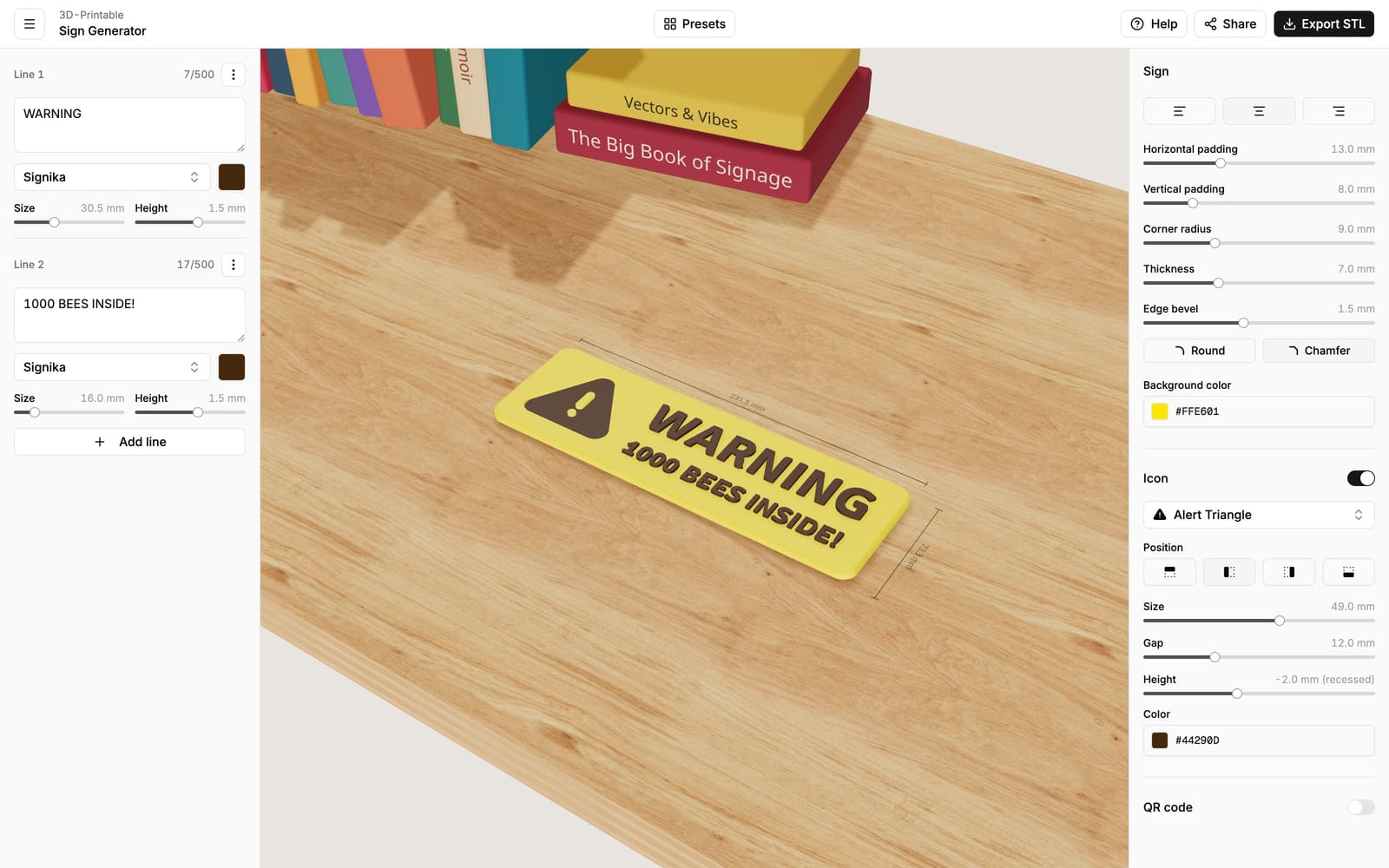
The 3D Sign Generator lets you design a custom, 3D-printable sign right in your browser — name plates, door signs, warning signs, labels for shelves and boxes, Wi-Fi signs for guests, and more. Type your text, pick fonts, icons and colors, and watch your sign take shape in a live 3D preview. When you're happy, download the print files and send them to any 3D printer.
No accounts, no installs, and no experience with 3D design software required.
Open the Sign Generator
Launch the editor and start designing.
Getting started
Create and export your first sign in a few minutes.
What you can do
- Text — up to 10 lines, each with its own font, size and color. Long text can wrap automatically, so plaques and multi-sentence labels work too.
- Fonts — choose from 85 fonts, from clean and modern to handwritten.
- Icons — add one of over 6,000 icons, in a filled or outlined style.
- Colors — give the sign, each line and the icon their own color for multi-color prints.
- Raised & recessed — make text and icons stick out of the sign or sit carved into it.
- QR codes — put a scannable QR code on your sign that opens a website, joins your Wi-Fi, and more.
- Real-world size — everything is measured in millimeters (or inches), so what you design is exactly what comes off the printer.
From design to print
When your sign looks right, export it as a ZIP of STL files — the standard 3D-printing format that works with every slicer. Each color comes as its own file, so multi-color printing is easy. The printing guide walks you through the rest.
Browse the guides
- Getting started — your first sign, step by step.
- Text — lines, fonts, sizes and text wrapping.
- Sign shape & size — padding, corners, thickness, bevels and units.
- Raised & recessed elements — how the Height setting works.
- Icons — finding and placing the right icon.
- QR codes — adding a scannable code to your sign.
- Saving & sharing — how designs are saved and shared with a link.
- Exporting — downloading your print files.
- Printing — setting up the print in your slicer.
- FAQ — quick answers to common questions.